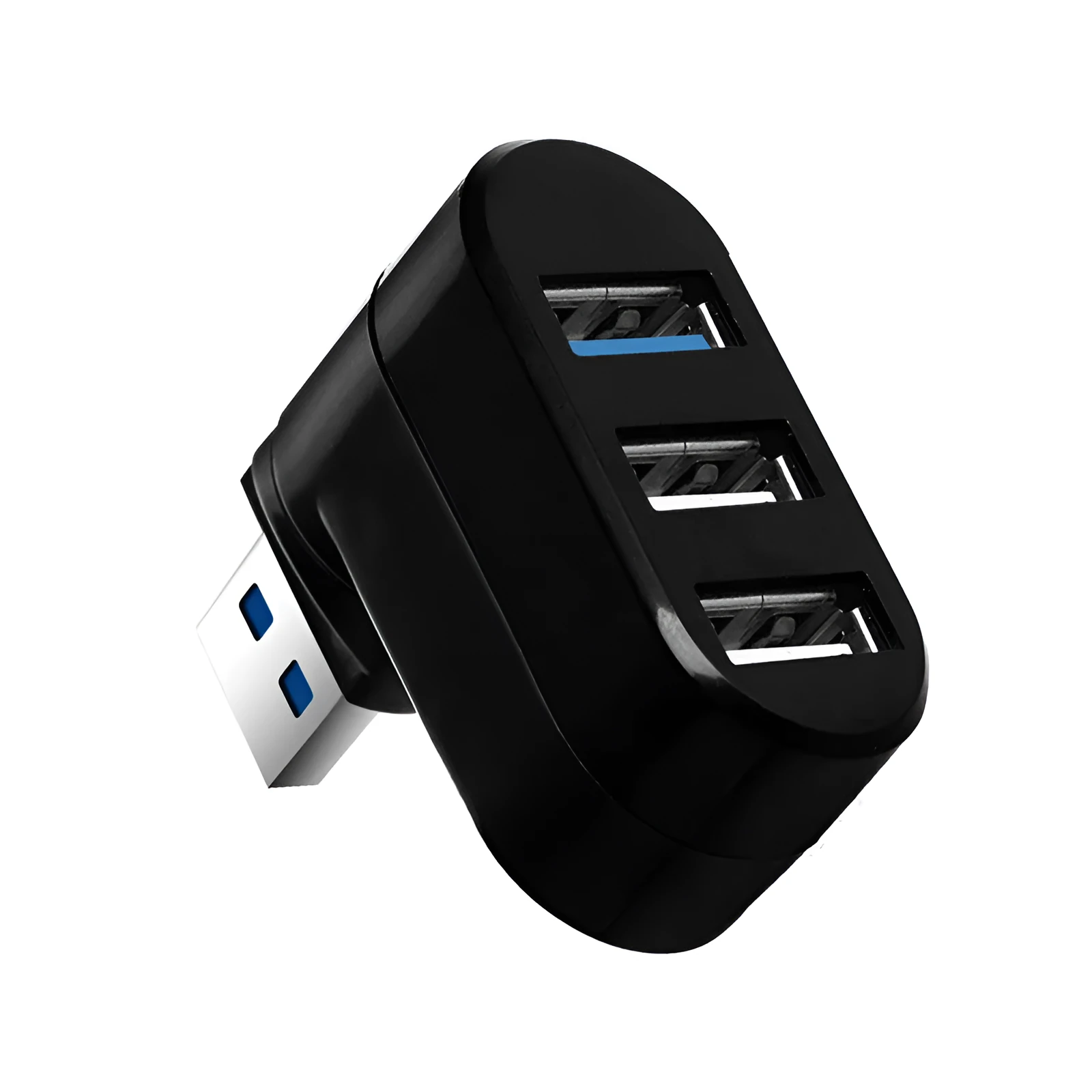
USB 3.0 HUB Rotary Splitter with 4 Ports ABS Shell Hot Swap Function for USB Flash Drives Hard Disk Boxes Mice Keyboards Backward Compatible Black or White


USB 3.0 HUB Rotary Splitter with 4 Ports ABS Shell Hot Swap Function for USB Flash Drives Hard Disk Boxes Mice Keyboards Backward Compatible Black or White
USB 3.0 4-Port Rotary Hub Splitter with Hot-Swap Function and ABS Shell
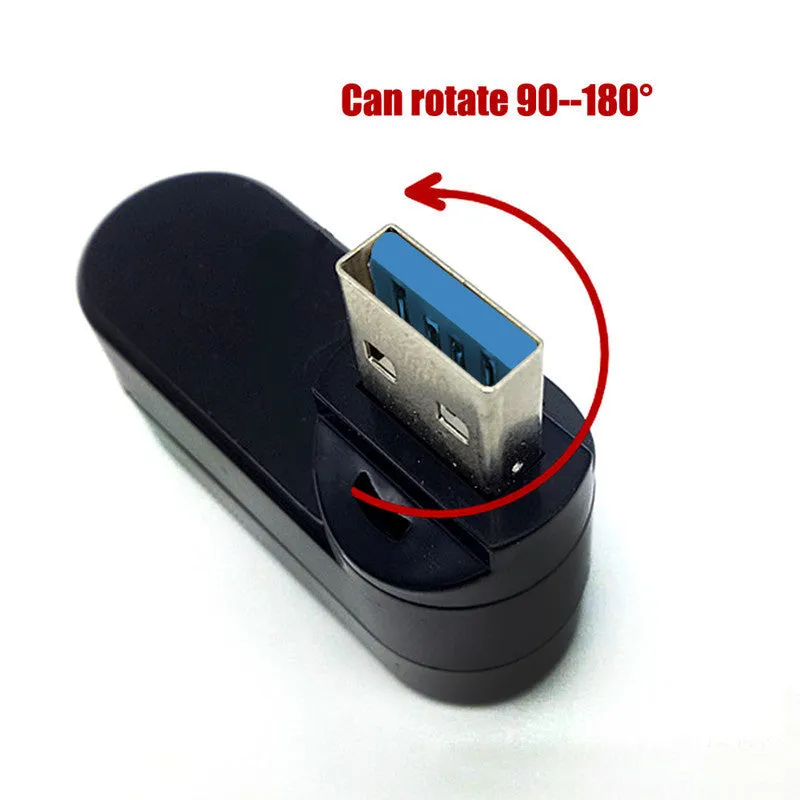
This USB 3.0 rotary splitter transforms a single computer USB port into four accessible, high-speed interfaces, allowing simultaneous connection of multiple USB devices without constantly swapping cables. Designed with a practical rotating mechanism and classic ABS shell, it provides an organised solution for expanding connectivity for office workstations, home entertainment centres, or creative studios. The hub supports theoretical transfer speeds up to 5GBps while maintaining full backward compatibility with earlier USB 2.0 and 1.0 devices, making it suitable for both modern peripherals and legacy equipment. With plug-and-play functionality requiring no drivers on most operating systems and a robust current protection system, it offers a reliable way to connect USB flash drives, external hard drives, input devices, cameras, and other accessories.
Technical Specifications and Performance

The USB rotary splitter incorporates specific technical parameters that define its operational capabilities and environmental tolerance. These specifications ensure consistent performance across various usage scenarios while providing clear guidelines for proper installation and maintenance.
Connection Standards and Speed
This hub utilises Hi-Speed USB 3.0 technology that delivers a theoretical maximum transfer rate of 5GBps, significantly faster than previous USB generations for rapid file transfers and data access. Despite this high-speed capability, it maintains full backward compatibility with USB 2.0 and 1.0 specifications, allowing connection of older devices such as basic mice, keyboards, or legacy storage media without requiring adapters. The four-port design employs a second-generation USB HUB controller that manages data flow efficiently between connected devices while supporting the USB standard's maximum of 127 daisy-chained devices. Each port provides independent power allocation up to 300mA, sufficient for operating most bus-powered peripherals without requiring external power supplies.
Power and Electrical Protection
Operating at a standard 5V voltage with a 500mA working current, the hub draws power directly from the host computer's USB port without needing separate power adapters for basic operation. An integrated current protection system provides overload voltage protection and instantaneous current safeguarding, preventing damage to connected devices from power surges or short circuits. This protection feature enhances safety when connecting multiple devices simultaneously, particularly those with varying power requirements like external hard drives alongside lower-power peripherals. The hub's efficient power management ensures stable working output even when multiple ports are active, maintaining consistent performance across all connected devices.
Environmental Operating Parameters
The device functions within an operating temperature range of -20°C to 75°C and humidity tolerance from 10% to 90% non-condensing, accommodating use in various environmental conditions from cool office spaces to warmer home environments. For storage when not in use, it withstands temperatures from -40°C to 85°C, providing flexibility for transportation or seasonal storage without performance degradation. These environmental specifications ensure reliable operation across typical indoor settings while offering durability during periods of non-use. The ABS plastic construction contributes to this environmental resilience by providing structural integrity across the specified temperature ranges.
Design and Physical Characteristics

The rotary splitter combines functional design elements with practical construction to maximise usability in various workspace configurations. From its rotating mechanism to material selection and dimensional specifications, each aspect addresses specific user needs for cable management and device accessibility.
Rotary Mechanism and Shell Design
Featuring a rotating design that allows positioning of USB ports in different orientations, the hub enables easier access to connections in crowded desk setups or awkward computer placements. The classic, well-finished ABS plastic shell houses the electronic components while providing a durable exterior resistant to everyday wear and impact. This rotating functionality helps organise cables by directing them away from each other, reducing tangling and strain on USB connectors. The design prioritises practical access over decorative elements, focusing on making all four ports easily reachable regardless of how the hub is positioned relative to the computer or connected devices.
Dimensions and Port Layout
Measuring 15.5cm in length, 7.8cm in width, and 2.7cm in height, the hub presents a compact footprint that fits conveniently on desks, beside laptops, or in workstation organisers without occupying excessive space. The four USB ports are spaced appropriately to accommodate standard USB connectors without interference, even when connecting multiple larger devices simultaneously. These dimensions balance port accessibility with space efficiency, making the hub suitable for both permanent desktop installations and portable use with laptops. The modest height profile allows it to fit under monitor stands or within desk organisers while remaining accessible for frequent device connection and removal.
Colour Options and Aesthetic Integration
Available in both black and white colour variants, the hub offers flexibility to match different computer setups, office decor, or personal preferences. The monochrome colour schemes provide neutral visual integration with most technology environments without drawing excessive attention. The ABS material accepts these colour applications evenly across the shell surface, maintaining consistent appearance without noticeable variations between units. These colour choices support the hub's role as functional peripheral equipment rather than decorative accent, aligning with its practical design philosophy focused on connectivity expansion.
Compatibility and Setup Requirements

The USB rotary splitter maintains broad operating system compatibility with straightforward installation procedures for most modern computing environments. From plug-and-play functionality to specific driver requirements for legacy systems, these compatibility aspects determine how easily the hub integrates into different technical setups.
Operating System Support
Fully compatible with Windows Vista, XP, 2000, ME, 2003, and subsequent Windows versions without requiring additional driver installation, the hub offers true plug-and-play functionality on these platforms. For Mac users, it supports Mac OS 8.1 and all later versions, similarly operating without separate drivers when connected to Apple computers. Windows 95 and 98 systems may require specific driver installation to recognise and utilise the hub's full functionality, reflecting the technological limitations of those older operating environments. This comprehensive operating system support ensures the hub works with both current and moderately legacy computer systems, extending its usefulness across various hardware generations.
Device Compatibility and Applications
Suitable for connecting numerous USB devices including USB flash drives, card readers, mice, keyboards, scanners, digital cameras, digital video cameras, USB sound cards, and hard disk enclosures, the hub addresses multiple connectivity needs simultaneously. Its backward compatibility ensures older USB 1.1 and 2.0 devices function properly alongside newer USB 3.0 peripherals, accommodating technology upgrades at different paces. The hub particularly benefits users requiring temporary connections for data transfer devices like flash drives and card readers while maintaining permanent connections for input devices like mice and keyboards. This versatility makes it applicable for office workstations, home computing centres, creative work environments, and educational settings where multiple device types require convenient access.
Installation and Maintenance
Installation involves simply connecting the hub to an available USB port on the host computer, with most modern operating systems automatically recognising and configuring the device within seconds. No software configuration or system adjustments are typically required beyond this physical connection, making setup accessible to users with varying technical expertise. Maintenance consists primarily of keeping the USB ports free from dust and debris that might interfere with connections, alongside avoiding exposure to liquids or extreme temperatures outside the specified operating ranges. The hub's construction from ABS plastic allows cleaning with standard electronics-safe methods when necessary, supporting long-term usability with minimal specialised care requirements.